TL;DR: wildcards probably can’t keep up with your inconsistent file naming
I’m Excited about Cloudflare Wildcards for Rules
This post isn’t really about Wildcard support in Rules so feel free to read that one.
This is really a non-issue in WordPress, but I’d love to do away with resized images. And when I think about that, I’m really imagining them living on another CDN/service instead of my uploads directory, and I’m imagining paying nothing for it. Usually free (to a point) CDN or serverless is synonymous with Cloudflare in my infrastructural fever dreams, because they just keep giving. And this.
Anyway, sometime after I read about wildcards for rules, I revisited Cloudflare Images. And it clicked- on a free Cloudflare plan, without regex support in rules, I could finally stop generating resized media. Let WP link to them; I’ll just let Cloudflare serve them.
Here’s how it could work
- In your cloudflare account dashboard (before you’ve clicked on a zone), go to Images > Transformations in the sidebar
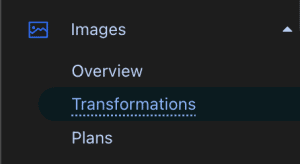
2. Find your domain and click Enable
3. Open your zone in Cloudflare Dashboard and go to Rules > Transform Rules in the sidebar
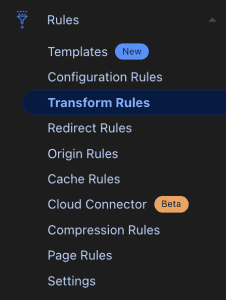
Building the Rule that Almost Works
Create a Rewrite URL Transform
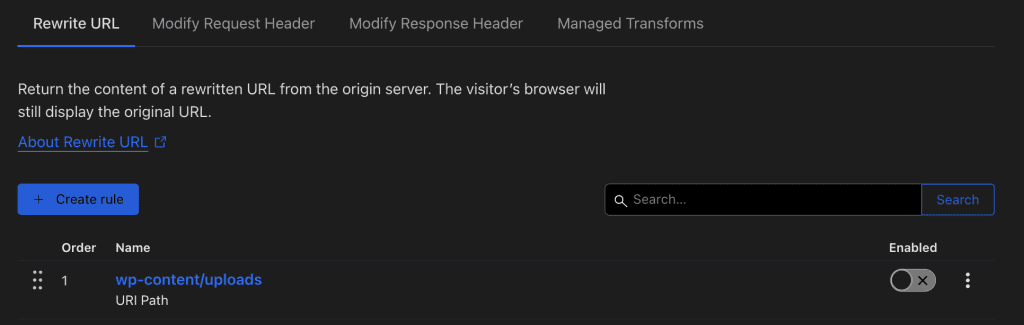
Here’s the rule
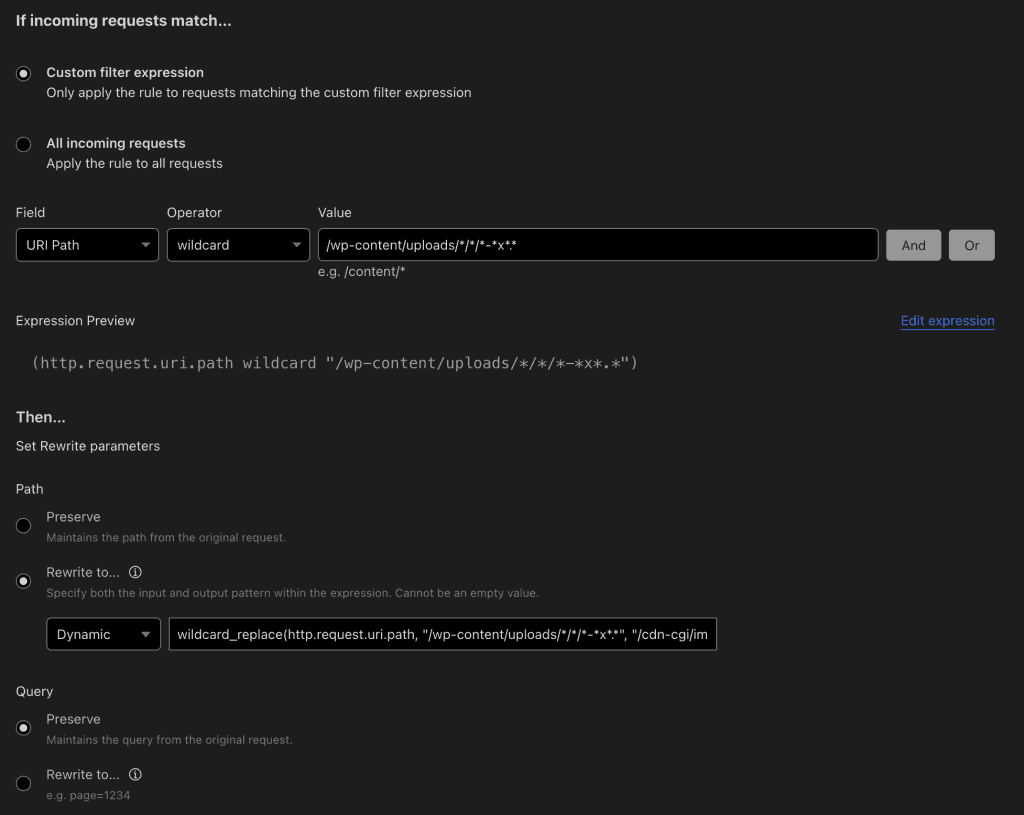
The full expression:
(http.request.uri.path wildcard "/wp-content/uploads/*/*/*-*x*.*")The Dynamic rewrite
wildcard_replace(http.request.uri.path, "/wp-content/uploads/*/*/*-*x*.*", "/cdn-cgi/image/width=${4},height=${5}/https://gabeherbert.com/wp-content/uploads/${1}/${2}/${3}.${6}" )A brief explanation of the rule
1. The Wildcard Expression
The wildcard expression is the key part of the rule that matches specific patterns in a URL. In this case, it looks for paths that match the following structure:
/wp-content/uploads/*/*/*-*x*.*Here’s how this pattern works:
- /wp-content/uploads/: This part of the URL is static, meaning it must appear exactly as written.
- */*/*: Each asterisk (*) represents a wildcard, meaning it will match any string of characters at that position in the URL. So, this part will match any folder structure within /wp-content/uploads/.
- -*x*: This part looks for filenames that contain the character “x” before the file extension, with any number of characters before or after the “x”.
- .*: The dot and asterisk combination will match any file extension (e.g., .jpg, .png, .gif, etc.).
Example URL that matches:
/wp-content/uploads/2024/08/Gabe-300x400.jpgThis matches because:
- 2024, 08, and image match the first three wildcards.
- 300×400 matches the -*x* pattern (since it includes “x”).
- .jpg matches the file extension wildcard.
2. Capturing the Wildcards
When the wildcard expression matches a URL, it captures each of the wildcard components as variables. These variables are then available for use in the rewrite rule. In the example, the captured wildcards are assigned as follows:
- ${1}: First wildcard (*) from /wp-content/uploads/* — e.g., 2024
- ${2}: Second wildcard — e.g., 08
- ${3}: Third wildcard — e.g., image
- ${4}: Captured part of -*x* before “x” — e.g., 300
- ${5}: Captured part of -*x* after “x” — e.g., 400
- ${6}: File extension after the dot (.*) — e.g., png
3. The Dynamic Rewrite Rule
The dynamic rewrite rule tells Cloudflare how to transform the original URL into a new one. Here’s the rewrite rule in our example:
wildcard_replace(http.request.uri.path, "/wp-content/uploads/*/*/*-*x*.*", "/cdn-cgi/image/width=${4},height=${5}/https://gabeherbert.com/wp-content/uploads/${1}/${2}/${3}.${6}")
This rule takes the original matched URL and rewrites it into a new format. Let’s see how the rewrite happens using the captured variables:
Original URL:
/wp-content/uploads/2024/08/Gabe-300x400.png
Rewritten URL:
/cdn-cgi/image/width=300,height=400/https://gabeherbert.com/wp-content/uploads/2024/08/Gabe.png
How the Replacements Work:
- /cdn-cgi/image/width=${4},height=${5}: This part of the URL is used to dynamically set the width and height of the image. ${4} and ${5} are the variables captured from the -*x* part of the filename (300 and 400 in this example).
- /https://gabeherbert.com/wp-content/uploads/${1}/${2}/${3}.${6}: The rest of the URL is reconstructed using the captured wildcards:
- ${1} is the year 2024.
- ${2} is the month 08.
- ${3} is the image name Gabe.
- ${6} is the file extension png.
But When Doesn’t This Work?
This won’t match filenames with multiple hyphens!
Take the following image
/wp-content/uploads/2024/10/gabe-placeholder-headshot-lol.webpIn this case, the image file name is matched by the third asterisk
/wp-content/uploads/*/*/*-*x*.*The problem is that the third asterisk is followed by a hyphen, therefore only capturing the string between the slash and the first detected hyphen. So where we want ‘gabe-paceholder-headshot-lol’ we only get ‘gabe’.
The rewritten URL would be
/cdn-cgi/image/width=300,height=400/https://gabeherbert.com/wp-content/uploads/2024/10/gabe.webpConclusion
WordPress users like me who like to find new & interesting ways to use CloudFlare’s free tier to do even more of the unheavy lifting nearly scored a handy tool.
One hacky solution could still be to change WP’s default resized image format, using a different character than the hyphen to prefix the resized image dimensions. But it would be very likely to cause unexpected consequences, leading to a rabbit-hole of fixes only to implement this inconsequential benefit.
Further ideas to explore
- It may be possible to create multiple variations of the URL Rewrite rule that contain matches for multiple hyphens. This is kludgy, but why not?
- Cloudflare Workers can do this more effectively, but that increases Worker usage and doesn’t automatically add the image to Cloudflare Cache.
Have a better solution that I missed? Leave a comment!
Leave a Reply